What does preparing data for an AI lab involve?
Three jobs: agree what is in, export it and approve the cleaned result. The cleaning in between is our work, not yours.
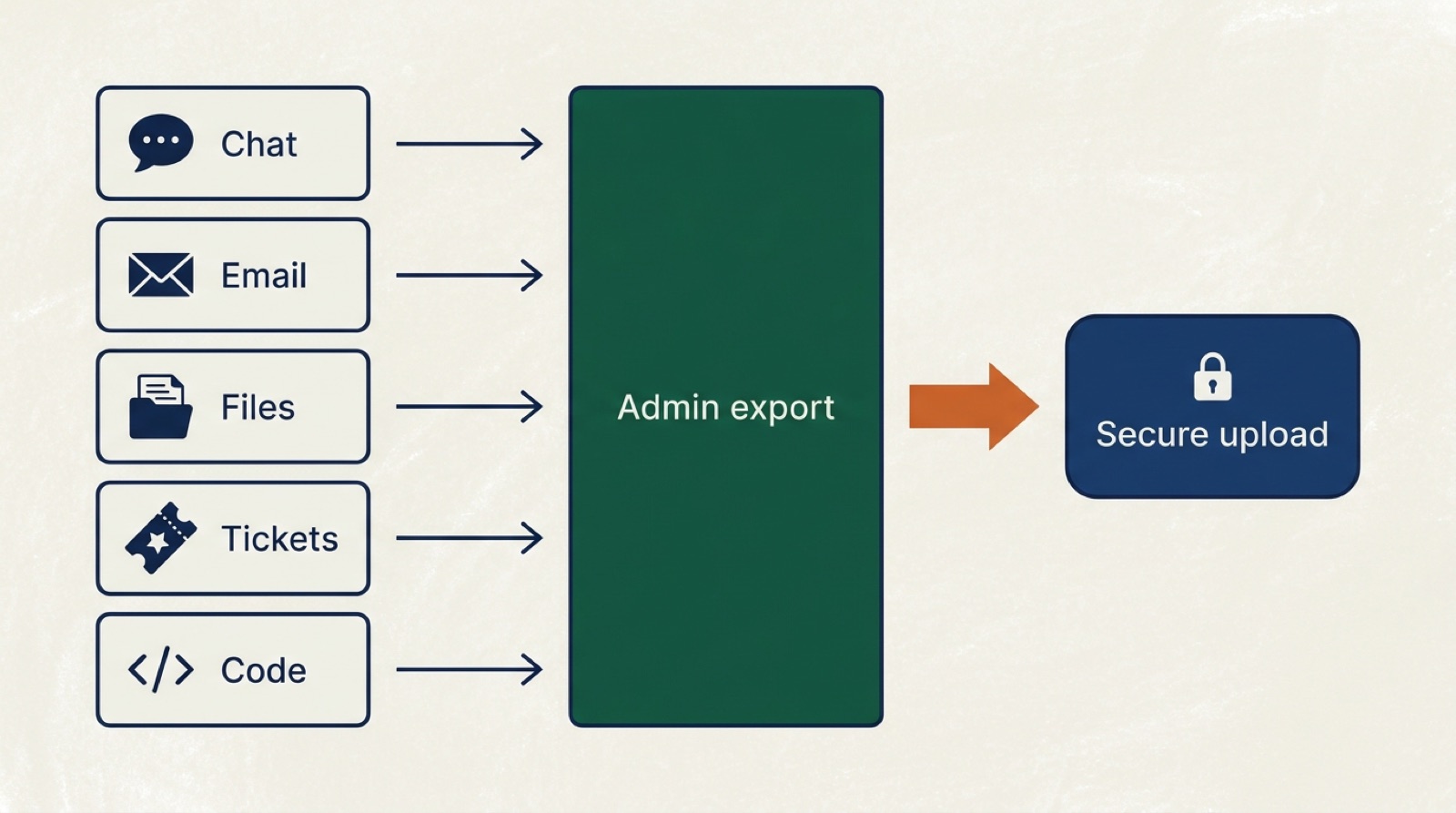
An admin export is a tool's own built-in way to download everything in an account: every channel, mailbox or project, with its history. Slack, Microsoft 365, Google Workspace, Jira and most other business tools have one. It is your own act, with your own tool, and it leaves a clean file behind.
We don't connect to your live systems. A one-off export is simpler, it is easy to check, and nothing keeps running after it is done. Most companies need no new software for this: the exports already exist in the tools you pay for.
Preparing is not the same as making the data "AI-ready" yourself. Labs don't want you to rename files, merge folders or scrub names by hand. They want the records as they are, with the personal details removed by someone who does it every day.
Step 1: Agree the scope before you export anything
Scope first, files second. A 20-minute call settles which tools are in, how many years and what stays out.
List your tools
Write down every tool where work happens, how far back it goes and who has admin rights. Note the plan or licence too, because it decides what an export can include. A company with eight years of tickets has more to offer than one that switched systems last spring.
Mark what stays out
- Client systems, and any data you process on behalf of clients.
- HR, payroll and medical files.
- Anything under an NDA or contract that forbids reuse.
- National ID numbers and other government identifiers.
- Any channel, mailbox or folder you decide to leave out.
Find the old systems
Retired tools count too. An old mail server, a ticket system you replaced years ago or a shared drive nobody opens can hold a decade of records. Ask whoever ran IT back then where the backups are. Our page on making money from old company data explains what in an archive is worth money.
Leaving a whole mailbox or channel out is fine. But a fuller export is usually worth more, so don't cut things by default. Our page on selling Slack, Teams and Jira data shows what labs learn from each tool.
Step 2: Run each tool's own export
One export per tool, run by someone with admin rights. Pick your tools below to see who runs it, what you get and what to watch out for.
Run the exports on the plan you have today. Sometimes a month on a higher plan unlocks a fuller export, such as private channels on Slack Business+. We will tell you on the call when that is worth it.
Pick a tool.
- Who runs it
- The workspace owner
- What you get
- A ZIP of JSON files with messages and links to files
- How long
- Usually the same day
- Watch out
- Free and Pro export public channels only. On Business+, apply to Slack for private channels and DMs.
Menus move. Your Lodex account has the current steps for each tool.
Slack
A workspace owner starts it under Workspace settings, then Import/Export data. On the Free and Pro plans you get public channels only. On Business+ the owner can apply to Slack for a full export that includes private channels and DMs, and on Enterprise, Slack Support switches on the tools for that. The export holds links to shared files, not the files themselves, so keep the workspace running until the files are in.
Microsoft 365: Outlook, Teams, SharePoint and OneDrive
One eDiscovery search in Microsoft Purview covers every mailbox, the Teams chats, the SharePoint sites and OneDrive, and exports them in one go. The admin who runs it needs eDiscovery rights and a licence that includes export. That is why this one is often a job for your IT provider.
Google Workspace: Gmail, Drive, Calendar and Meet
A super admin uses Google's Data Export tool to export the whole organisation at once. Google's own instructions say the admin account must be at least 30 days old and use 2-Step Verification. An export typically takes about 72 hours and can take up to 14 days. Organisations with more than 1,000 users should contact Google support first, and the export needs an active subscription.
Jira, Confluence, code and the rest
Jira and Confluence make a full site backup with attachments. On GitHub, one migration archive holds the code with its full history, issues, pull requests and reviews, which matter as much as the code itself. Help desks, CRMs and Notion each have an export of their own. Your Lodex account has a step-by-step guide for each tool.
Step 3: Upload it, or send the job to your IT person
Upload each export on your Lodex account once we have approved you as a seller. Or send one upload link to whoever runs your IT, and they upload it without needing an account.
Large exports go up in parts, and each part is checked when it arrives. A dropped connection doesn't mean starting over. For very large exports, ask us for direct bucket access instead.

Most of the work sits with whoever has admin rights. Often that is not the owner but an IT lead or an outside IT provider. That is normal: the owner signs, the admin exports.
Keep a short note of what you exported: which tool, which years and anything you left out on purpose. It makes our check faster, and it goes into the paperwork that comes with the dataset.
| Task | You | Your IT person | Lodex |
|---|---|---|---|
| Agree the scope | Yes | Joins if useful | Yes |
| Run the exports | If you have admin rights | Usually | Guides you through it |
| Upload the files | Yes | Or them, with a link | Checks what arrives |
| Remove personal details | No | No | Yes |
| Check a cleaned sample | Yes | No | Shows it to you |
| Sign the licence | Yes | No | Yes |
What should you not do before you sell?
Don't delete, don't downgrade and don't clean. Each of those costs you money or data you can't get back.
- Don't delete old channels, mailboxes or projects. Years of history are what a lab pays for.
- Don't downgrade Slack to Free. The free plan deletes messages and files older than a year.
- Don't cancel a subscription before its export is done. Google's full export needs an active subscription.
- Don't scrub names yourself. Find-and-replace by hand misses things and breaks the threads. Cleaning is our job, and you check the result.
- Don't shorten retention settings. A policy that deletes messages after a year quietly removes the history you are about to sell.
- Don't email files or share drive links. Use the upload page, so every part arrives checked.
Closing the company at the same time? Then the order matters even more. Our page on company data when closing a business puts the steps in order.
How do you keep client and employee data safe?
By keeping some data out and removing personal details from the rest before anything leaves. Names, email addresses, phone numbers, street addresses and account numbers are removed or replaced. Replacements stay consistent within a thread, so a conversation still makes sense. No key is kept to put the names back. Passwords, API keys and tokens that turn up in chat or code are found and removed too.
You export. We clean. You approve. Nothing reaches a lab before you have seen a cleaned sample.
Our page on how we anonymise company data shows a record before and after. Under the GDPR you also need a clear reason to process the data and a clear line on what stays out. The GDPR guide to selling company data goes through it step by step.
We license only to AI labs and research teams under contract, never to your competitors. Our copy of the originals is deleted once processing is done.
How long does it take to prepare company data?
Two to three weeks from the first call to a cleaned dataset is usual. The exports themselves take anything from minutes to days.
A Google Workspace export typically takes about three days. Smaller tools are often done the same day. The slow part is usually inside your own company: finding who has admin rights, or waiting for a board or works council to agree.
That is why we suggest starting those conversations before the call. Our step-by-step page on how to sell business data lists who has to approve what.
On a deadline, such as a subscription that ends or a company that closes? Say so on the first call, and start the longest export first. That is usually Google Workspace or Microsoft 365.
What happens after you upload?
We check the uploads against the agreed scope, clean them and show you a sample. You sign off, and only then is the data licensed.
- Check. We compare what arrived with what was agreed and tell you if something is missing.
- Clean. Personal details come out, and agreed exclusions are removed.
- Sample. You look at cleaned records from your own data.
- Approve. You sign off, or ask for changes.
- License. A lab or research team gets the cleaned copy under contract.
- Payment. Within 7 days of the buyer paying Lodex.
Company data can fetch €50K–€600K, and the most complete datasets are worth the most. The estimate below gives a first range in a minute. Our guide on what your company data is worth explains what moves the price.
Questions
Do I need to clean my data before selling it to an AI lab?
No. You run each tool's own export and upload it as it is. Lodex removes the personal details, and you check a cleaned sample before anything is licensed.
Can I export Slack private channels and DMs?
On Business+, the workspace owner can apply to Slack for an export that includes private channels and DMs. On Enterprise, Slack Support switches on the export tools. Free and Pro export public channels only.
How do I export all of our Microsoft 365 data?
With one eDiscovery search in Microsoft Purview over all mailboxes, Teams, SharePoint and OneDrive, then an export. The admin needs eDiscovery rights and a licence that includes export, so it is often done by your IT provider.
How long does a Google Workspace export take?
Google says it typically takes about 72 hours and can take up to 14 days, depending on size. The super admin account must be at least 30 days old and use 2-Step Verification.
Does Lodex connect to our systems?
No. You or your IT person run each tool's own export and upload the files. Nothing keeps running in your systems afterwards.
Our IT is outsourced. Who runs the exports?
Your IT provider, usually. You can send them an upload link for the tools they manage, and they upload the exports without a Lodex account.
What format should the data be in?
Whatever the tool's own export produces: a ZIP of JSON from Slack, PST files from Microsoft 365, an archive from Google. Don't convert or merge anything, just upload it as it is.